Contacting Teachers
The Banzai Manager makes it easy to contact teachers in your sponsored schools. Whether you're sending an introduction, following up on a workbook order, or offering a presentation, the built-in email templates keep communication simple and consistent.
Send an email to a teacher
- Log in at manager.banzai.org.
- From the Home page, click School Reports.
- Click Teachers.
This takes you to a list of all the teachers your institution sponsors.
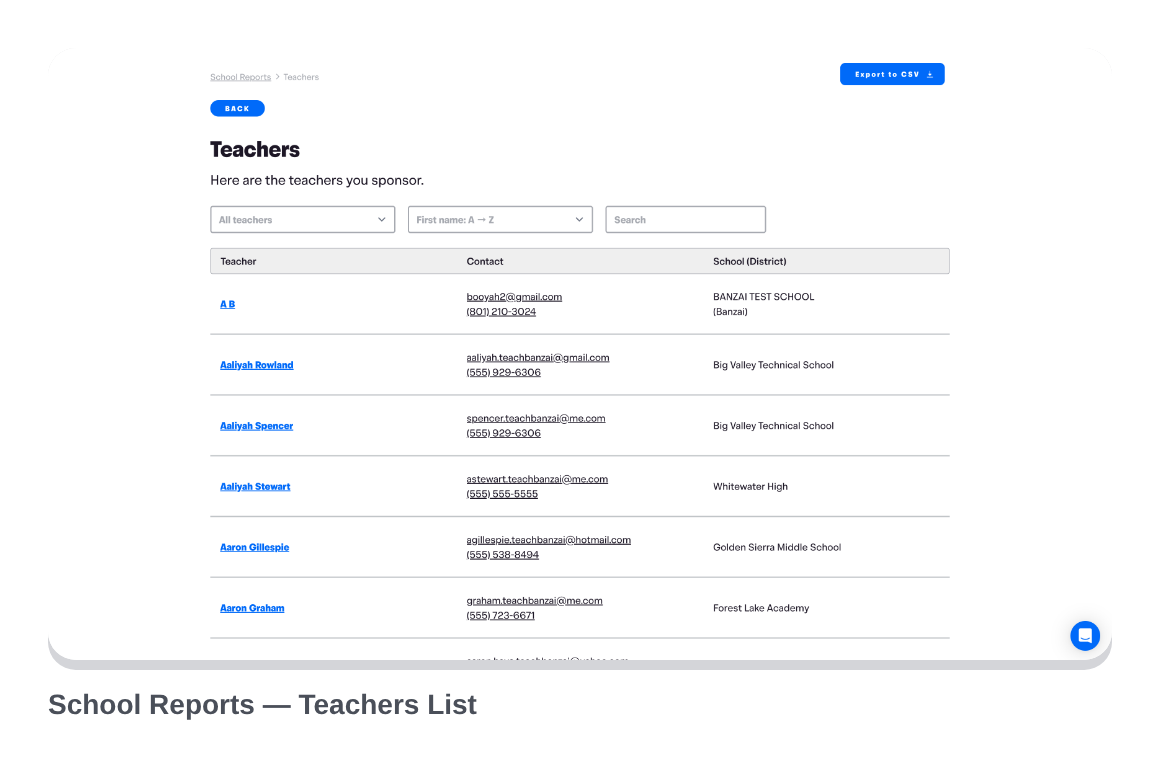
- Click a teacher's name.
- Then, click Email This Teacher.
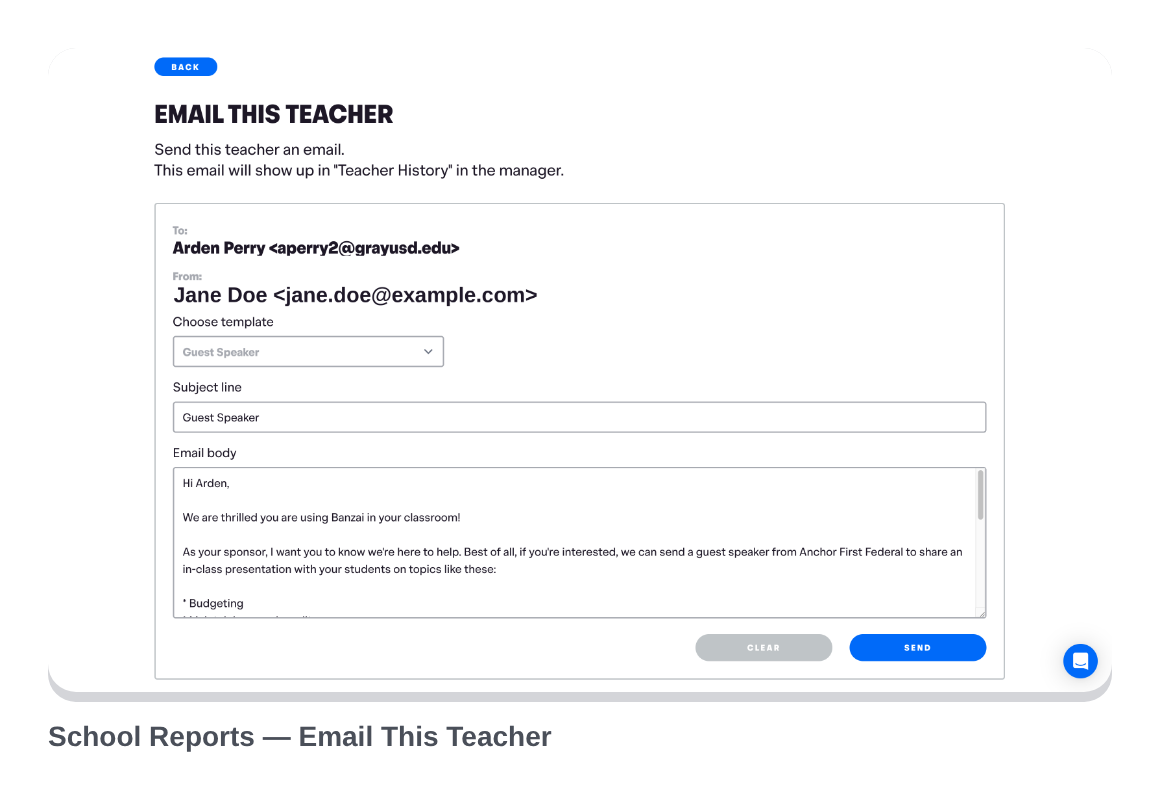
- From the Email This Teacher page, click Choose template to pick a prebuilt template.
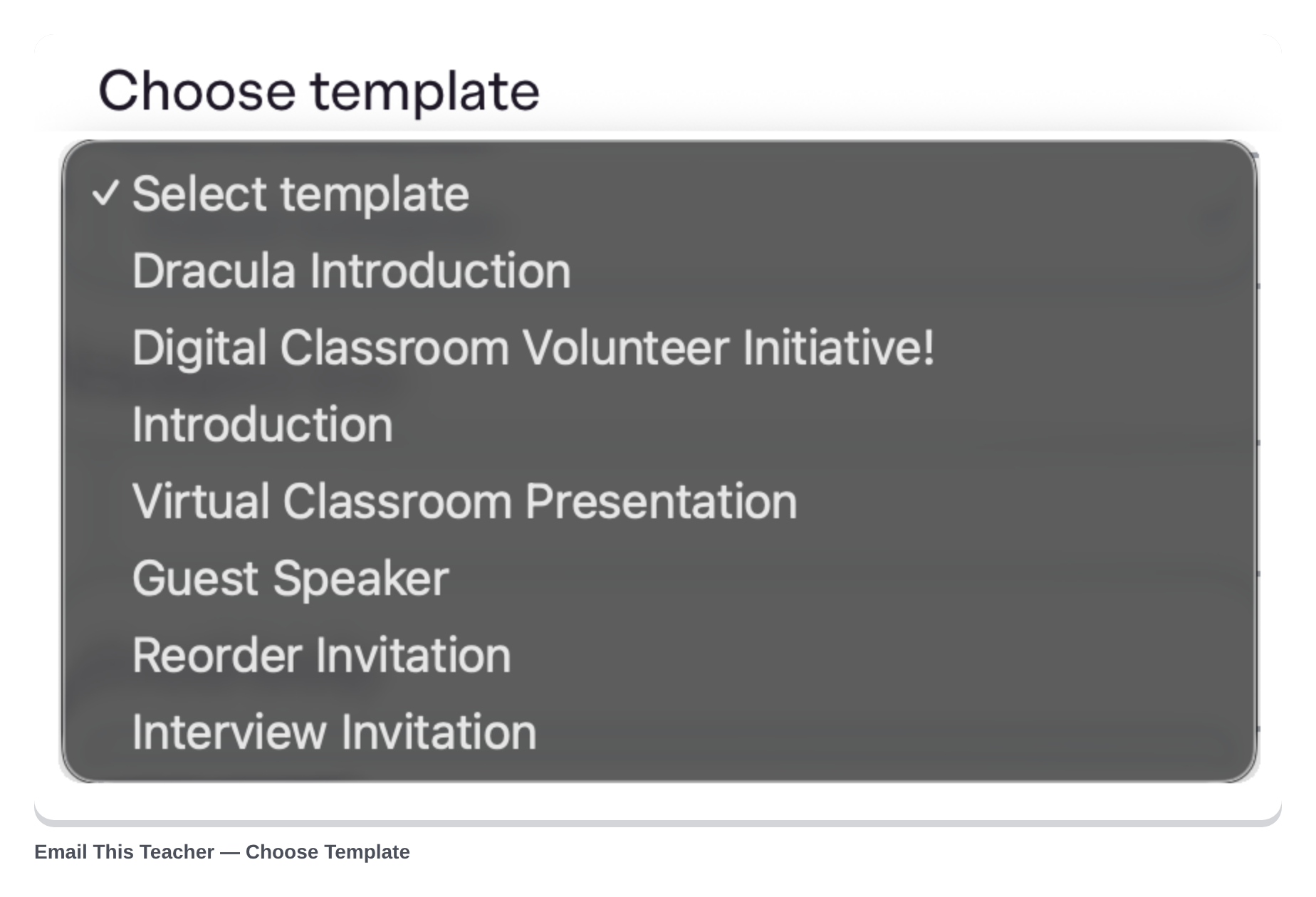
- Change the text however you prefer and click Send.
What happens after you send
If the teacher replies, their response is delivered to your email address (shown in the From field). It also appears on the Teacher's information page under Teacher History, so your team has a full record of the conversation.
Prebuilt templates available
The templates cover the most common outreach scenarios:
- Introductions to new teachers
- Workbook order or reorder invitations
- Presentation outreach and scheduling
- Follow-up on a specific order
- End-of-year appreciation
You can always customize the template text before sending—treat them as starting points, not scripts.
Related
- Tracking Workbook Orders—see teacher order history alongside their contact info
- Reporting & Impact 101 for Schools—student and teacher feedback (via the School Comments Page) to reference in your outreach